A Photoshop Technique For Darkening Around A Soft Outline

A Herdwick Sheep

Introduction
We have just added this photograph of a Herdwick sheep to our range of ecards. The original image had a distracting background and this article explains how I removed it without ‘rubbing out’ the delicate edges of the the fleece.

Love And Economics
The fleece of the Herdwick sheep is a rich brown color, turning to a lovely grey as the animal grows older, as you can see in the photograph below.

However, if pure economics ruled the sheep world, there would not be any Herdwick sheep.

Compared to some other breeds they do not give birth to as many lambs, they do not put as much weight, and they do not have as soft wool. In fact their wool is so coarse that one of its main uses in recent times has been in home insulation.

A Herdwick Sheep

Herdwicks have survived partly because of the legacy of the author, Beatrix Potter, who bought a farm in the Lake District and raised Herdwick sheep, leaving directions in her will about how the flocks were to be protected after her death.

They are lovely looking animals, and the two shown in the photograph in this article are in the Natural World section of our collection of ecards.

Photographs For Our Ecards
Sometimes you might want to take distracting background elements out of a photograph, as I did with the Herdwick Sheep at the top of this article.

This sheep was standing on an open wagon in the square in the village of Masham during the annual sheep fair. He was starring in a show illustrating the different qualities of various breeds of sheep in England.

As you can see in the original shot below, there were objects of a variety of colors in the background, none of which were very attractive. My intention was to take these out, and the easiest way to do this was to darken down the background in Photoshop. In this photograph I darkened it down to black.

Herdwick

The problem is the same as with any subject that has ‘soft’ edges with lots of stray strands such as this fleece: How does one darken down the background without ‘rubbing out’ parts of the fleece?

I could have stitched carefully around the fleece with the Marquee tool, but it is painstaking work and still doesn’t always work because it can leave a sharp edge that looks unnatural.

More to the point, I prefer quick methods, and what follows here is one I have found that works. It is a two-stage technique.

First I use the Magic Wand tool to pick out the area around the fleece. I change the tolerance up or down to suit the subject and just isolate the hairs on the fleece. I ignore parts of the image that are further away from the fleece because I can paint those out later. The important thing is to pick out the area at the edge of the fleece.

Once I have done that, I hide the marching-ants outline because I don’t want the dotted line obstructing my view for the next step. I use a Mac and the command to hide the outline is Command + H. It’s probably Control + H on a PC.

levels-adjustment-1

lelvels-adjustment-2

Now that I have a clear view of the edge of the fleece, I use the Levels tool or the Curves tool to darken the image isolated by the Magic Wand tool. I do this by moving the slider (highlighted here with a red circle) to the right. This darkens the part I have isolated.

I stop when I see that the darkening is in danger of erasing the edges of the fleece.

[Just a note here that if I had wanted to lighten the area around the sheep, I would move the right hand slider to the left.]

Now I have an image that is a bit darker near the fleece, so I am part way to what I want to achieve. This first step using the Marquee tool makes it so much easier to use the Brush tool to darken around the fleece, which is the next step.

I use the Brush tool with a large radius – probably several hundred pixels diameter – and with the hardness of the brush set very low to somewhere around 5% and the color set to black.

That means I have a brush that I can use to gently ‘invade’ the area near the fleece and put color into it.

I move the brush tool towards the edge that borders the fleece, changing the diameter of the brush all the time to suit what I am working on.

At some point I clear the area I highlighted with the Marquee tool so that I can brush over any part of the image, and gently fade out the parts that are still left undone.

It’s easy to go back and experiment until the technique flows quickly and the image has been darkened down – with the whole process taking just a minute or so from beginning to end.

Nikon D700 and Nikon D60: Comparing Image Quality

This is a semi-technical article, comparing the image quality of the Nikon D700 and the Nikon D60 in controlled lighting conditions.

If you don’t want to plough through the details, the cropped images from the two cameras are at the end of this article – take a look and let me know what you think.

Why We Are Interested In Cameras At Quillcards
All the photographs for the ecards here at Quillcards are ours and unique to this site. That means that we have more than a passing interest in cameras. As always, it is a balance between cost, weight, image quality, ruggedness, and ease of use.

From 'The Friendly Horse' Series

Cameras We Have Used
The cameras we have used are the Nikon D200, The Nikon P5100, the Nikon D60, and more recently – the Nikon D700.

The P5100 is a high-end compact camera that is able to make high-quality photographs, provided the overall contrast of the scene is not too great and it is well and evenly lit. The others are digital Single Lens Reflex cameras.

There is no question in my mind that when looking at photographs taken with the D700, they are the most pleasing to the eye. Take, for example, the photo above from the series shot for The Friendly Horse article on this blog.

The superior image quality of the D700 is due to a number of factors, including the dynamic range the camera is capable of containing and the way the processor translates the signal into color and tonal gradations.

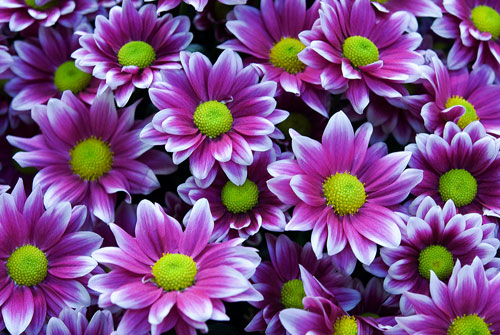
So here are the photographs of a flower taken with the Nikon D700 and the D60. You may be able to see differences in the images. To see the differences properly however, one has to see either large size printed photographs or 100% crops on screen – hence the crops at the end of this article.

Nikon D700
Nikon D700
Nikon D60
Nikon D60

It is not a big surprise that the D700 outperforms the other cameras. It is the latest incarnation of a line of cameras that have been building on the qualities of the ones that came before. What we have now with the D700 is a camera that is in a class of its own at high ISO, being virtually noise-free at ISO 1600.

The greater dynamic range of the D700 means it should cope with high-contrast scenes better than the D60 does. That has been my experience.

A Controlled Scene
However, I thought it would be instructive to see how the two cameras dealt with a controlled scene.

By ‘controlled’ I mean where the overall contrast across the scene from the lightest to the darkest point is not too great and where the micro contrast – the contrast between adjacent parts of the scene – is also not too great.

Of course, the Nikon D700 has a full-frame sensor, whereas D60 has a smaller APC size sensor. This means that the angle of view of the D60 is smaller.

However, the Nikon 35mm AF-S f1.8 lens on a Nikon D60 ‘sees’ more or less the same view as a Nikon 50mm f1.8 on the Nikon D700.

The Test
So I set both cameras on a tripod at aperture priority at f8. I set the D700 at ISO 200 and the D60 at ISO 100 as these are the lowest base ISO settings for the two cameras.

In order to control the light, I chose a scene lit by window light diffused through a large translucent shade.

I photographed a flower because – in my opinion – natural objects are better subjects than man-made images for showing the capability of a camera to capture images faithfully.

I produced the best image I could from each RAW file. That involved moving the exposure slider a little more in Camera Raw for the D60 because it underexposed the image slightly, but apart from that the settings for both images were the same.

The Results
The D60 set a shutter speed of 5/10 of a second while the D700 set a shutter speed of 4/10 of a second. As the ISO of the D700 was twice that of the D60, one could say that the shutter speed of the D700 ‘should’ have been half that of the D60, or vice versa.

However, the view of the scene varied slightly between the two camera-lens combinations. This is because the multiplier factor of the D60 is 1.5, and that means the equivalent focal length of the 35mm lens is 52.5mm – slightly different from the angle of view of the 50mm lens on the D700.

Therefore there is more of the white background in the scene ‘seen’ by one camera compared to the other, which could affect how it sees the scene in terms of how much exposure it needs.

I could have set the exposure compensation in the camera, but I decided to set both cameras to the same settings (apart from base ISO) and make any changes post capture, in Photoshop.

So here are the crops of the central area of the image.

Nikon D700 Crop
Nikon D700 Crop
Nikon D60 Crop
Nikon D60 Crop

What do you think? What difference can you see in the scene as rendered by the two cameras?

We’re changing the look of ecard communications.
Take A Look At Our Ecards.

The Friendly Horse and The Australian Government

We’re changing the look of ecard communications.
Take A Look At Our Distinctive Ecards.

The Friendly Horse
The Friendly Horse

He was such a placid and friendly horse. He came over and without any nervousness, smelled my hand and took the grass I held out.

Looking at him in the photograph, I thought of the word ‘Dobbin’ used to describe a placid, patient, plodding farm horse.

It turns out that Dobbin is an old word. It appears, for example, in Act II of Shakespeare’s The Merchant of Venice, when Shylock’s attendant meets with Gobbo and discovers he is his long-lost son.

Gobbo says:

… if thou be Launcelot, thou art mine own flesh and blood.
Lord worshipped might he be! what a beard hast thou
got! thou hast got more hair on thy chin than
Dobbin my fill-horse has on his tail.

Dobbin is a diminutive form of Dob, which is short for Robin or Robert.

But then ‘dob’ has another meaning. To dob means to put something down heavily or to throw something down heavily and to ‘dob in’ means to contribute towards the cost of something, for example a leaving present for a co-worker.

You can imagine someone tossing their contribution into the pot in that nice off-hand way that people do when they want to preserve their modesty and not seek to attach too much importance to their contribution.

But in Australian English, to ‘dob in’ also means to give someone up to the authorities.

I thought it was a colloquialism or something only said in casual speech, but the Department of Immigration and Citizenship of the Australian Government has a web page advertising its toll-free Immigration ‘Dob-in Line’ which you can call to advise the department about a person living in Australia illegally.

It’s nice to think that the word ‘dob’ weaves a trail from a friendly horse in a field in the north of England around the world to the Australian Government’s efforts to catch illegal aliens.

If you enjoyed this article, please consider leaving a comment. You may also wish to join Quillcards and send distinctive ecards.